See the Home Service Website in Action
This is the same structure your website will be built on. Click through it, open it on your phone, and see exactly what your customers would experience.
Proven website features that bring you more leads
Every part of this page earns its place. Here is what each one is doing, and why.
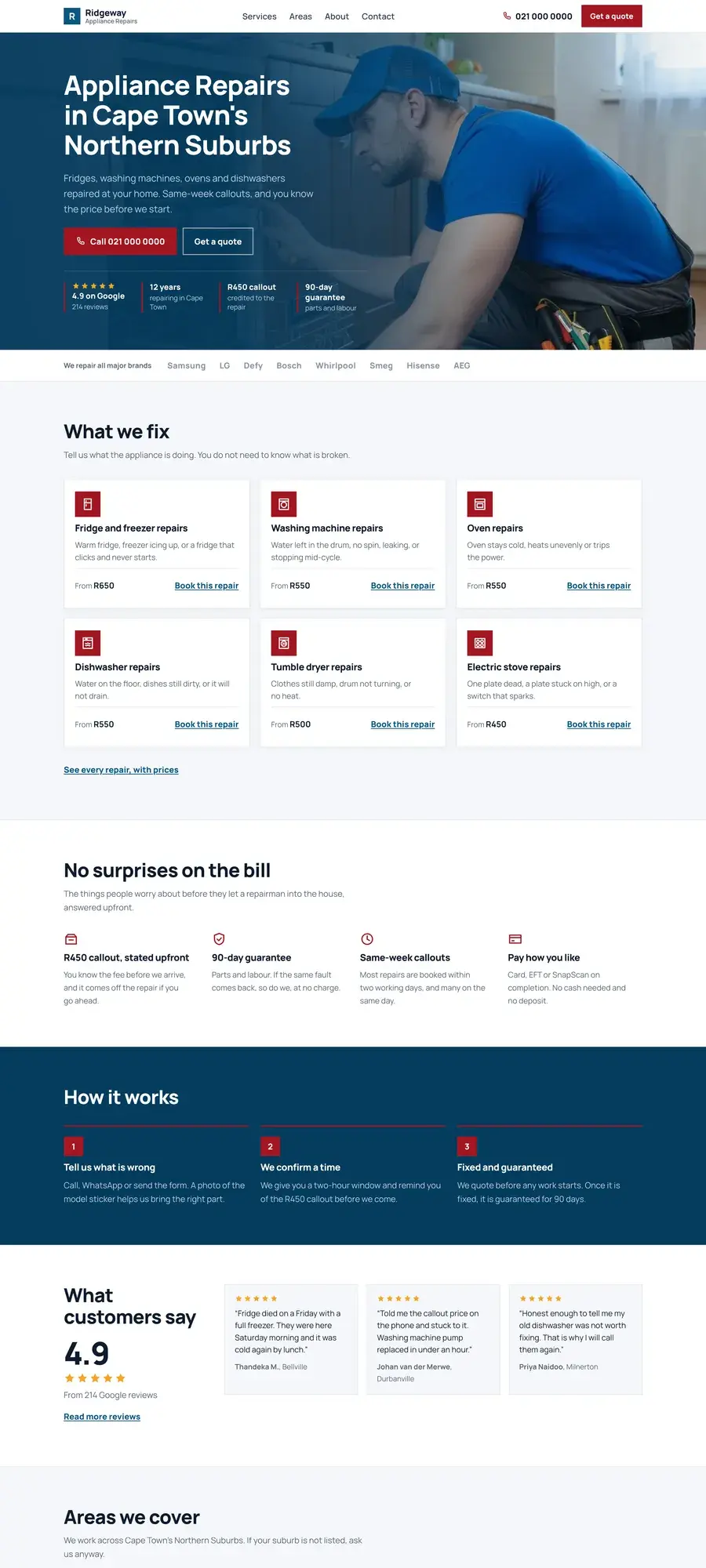
The hero does one job
Your business name, what you fix, where you work, and a phone number. A customer with a leaking pipe doesn’t want to read about your company values — they want to know you cover their suburb and that you’ll answer.
The call button never disappears
On mobile, it’s fixed to the bottom of the screen the entire time. The most common reason a service website fails is that finding the number takes too long.
Services are listed in plain language
“Blocked drains,” not “comprehensive drainage solutions.” Customers search using the words they’d use to describe the problem.
Service areas are spelled out
Listing your suburbs does two things: it reassures the customer you cover them, and it helps you appear in local searches.
Trust sits above the fold on mobile
Reviews, years in business, callout guarantees, payment methods. A stranger is about to let you into their home.
The quote form is short
Name, number, suburb, what’s wrong. Every additional field loses enquiries.
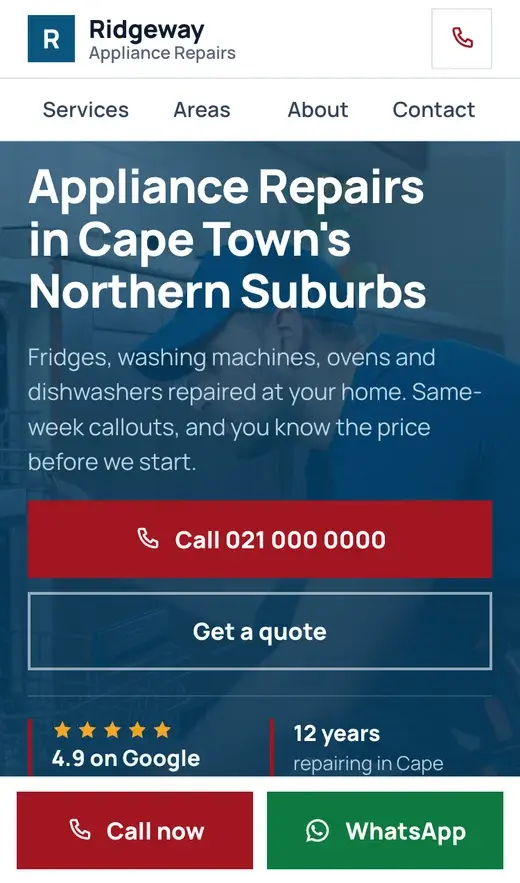
On a phone
Most of your customers will find you on a phone, often standing next to the problem. The site is designed for that first and adapted for desktop second.
Speed
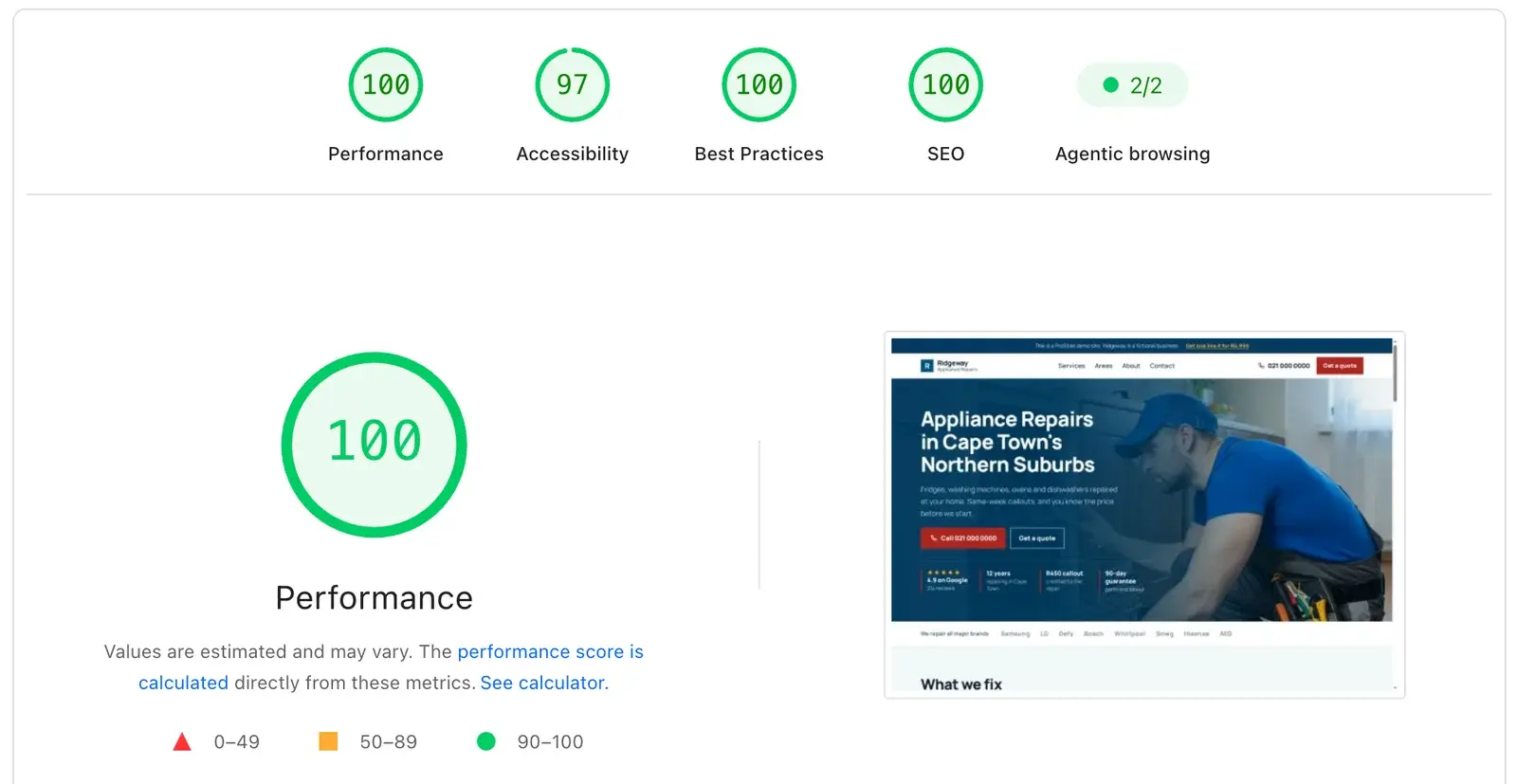
A site that takes five seconds to load loses a third of its visitors before it appears. Ours are built lean.
Google’s PageSpeed Insights scores the demo site 100 for performance, 100 for best practices, 100 for SEO and 97 for accessibility.
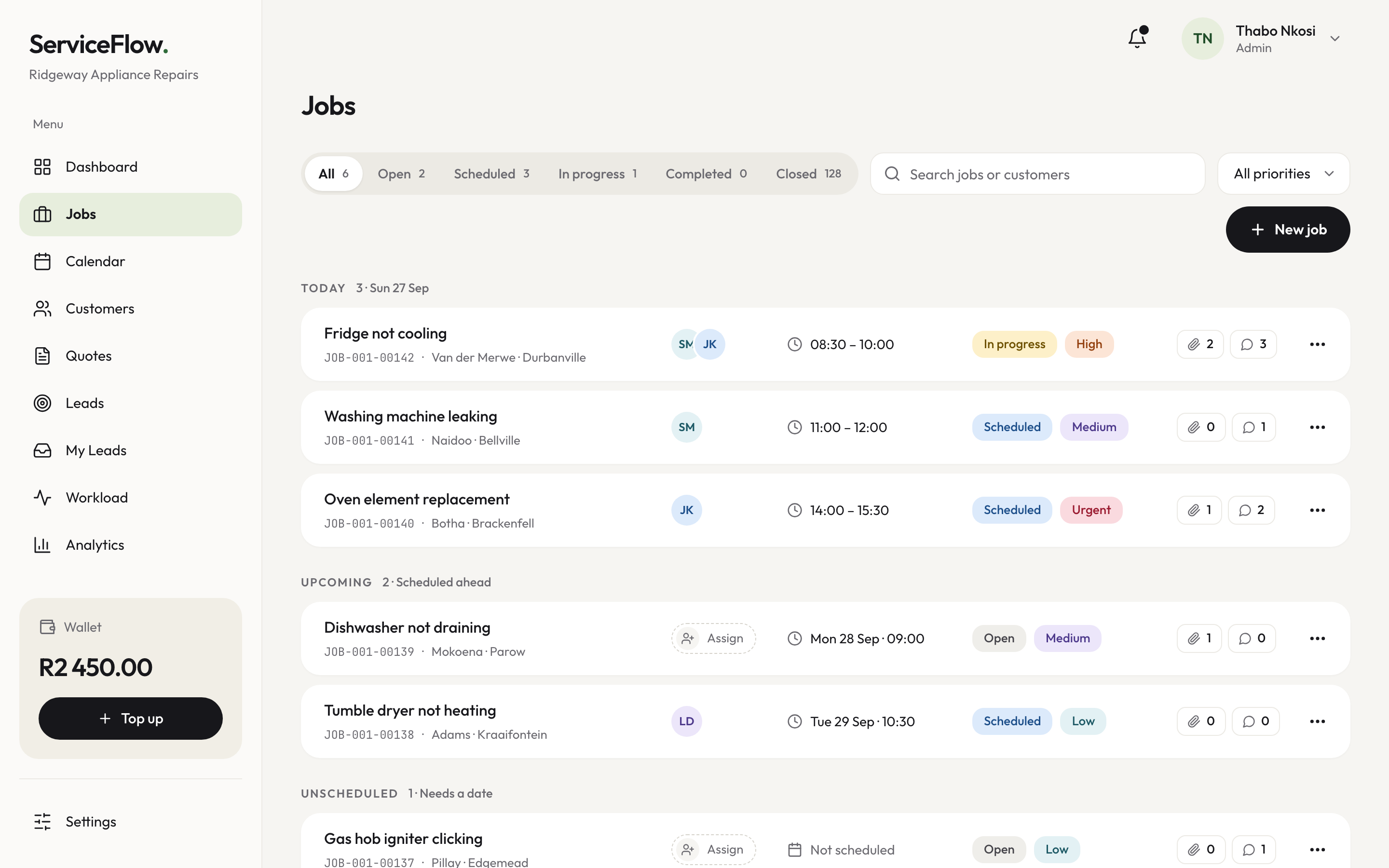
The job app that comes with it
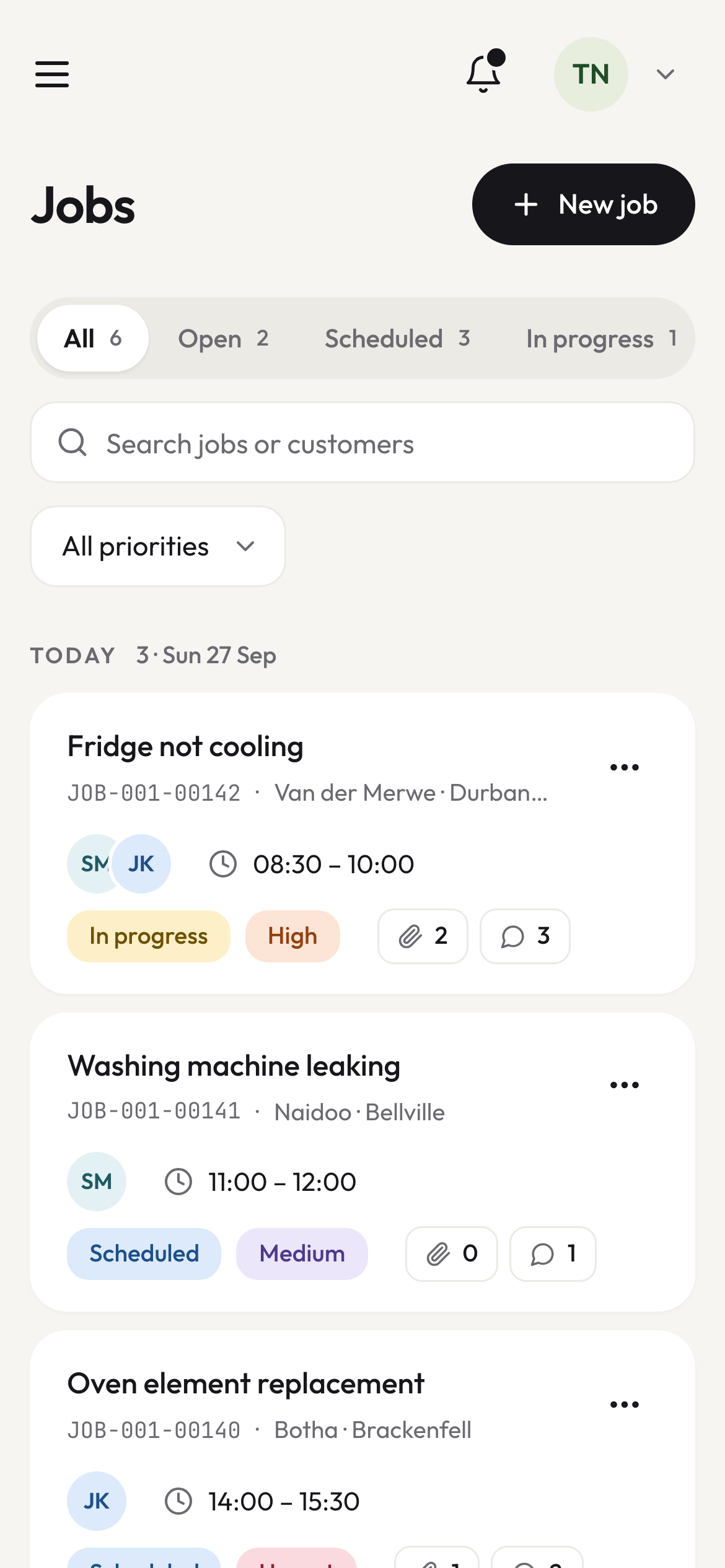
Every enquiry the site takes opens as a job here — with the customer’s name, number and suburb already on it. Track it from enquiry to paid, assign it to whoever is closest, and keep the history for the next time they call.
It is included in the monthly plan. There is nothing extra to buy and nothing to install.
Your version
Your site will use this structure with your logo, your colours, your services, your suburbs and your photos. We’re not going to redesign it from scratch — that’s exactly why it’s affordable and why it goes live in two weeks.
Ready to stop losing jobs to your competitors?
Ask us anything, or tell us a bit about your business. We reply within a working day, with no obligation.